



Chat about and approve Sage 300 transactions in a mobile App


What is it?
TeamWork provides a new way for teams to work together, with conversations and actions shared across mobile devices and Sage 300 screens.
TeamWork integrates AutoSimply's AC Chat with Orchid's workflow and collaboration capability, supported by easy-to-use templates and configuration options.
A new way for Sage 300 and non-Sage users to collaborate
 Manage and approve Sage 300 actions within a chat interface.
 Chats are stored and displayed in the context of Sage 300 transactions.
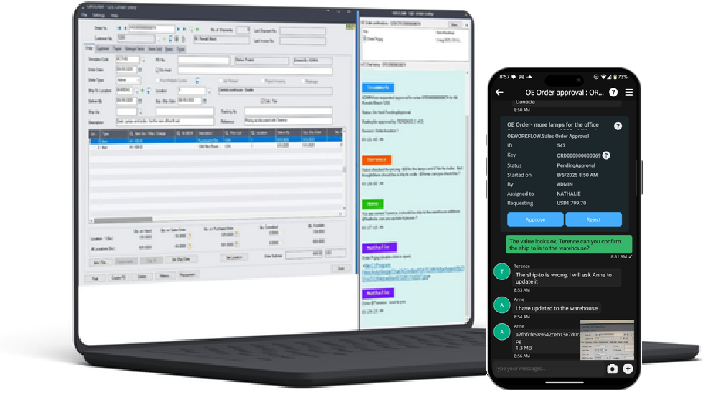 Use a combination of mobile or desktop chat apps, and Sage 300 screens.
 Non-Sage users can participate in chats, and some transactions can be initiated in the mobile app.
 Includes easily configurable workflow templates for common notification and approval scenarios
 All approvals, status changes and chats are stored in the Sage 300 database for reporting and auditing
A quick look at TeamWork
Fig 1
Sage 300 with Orchid Systems' Extender Workflow
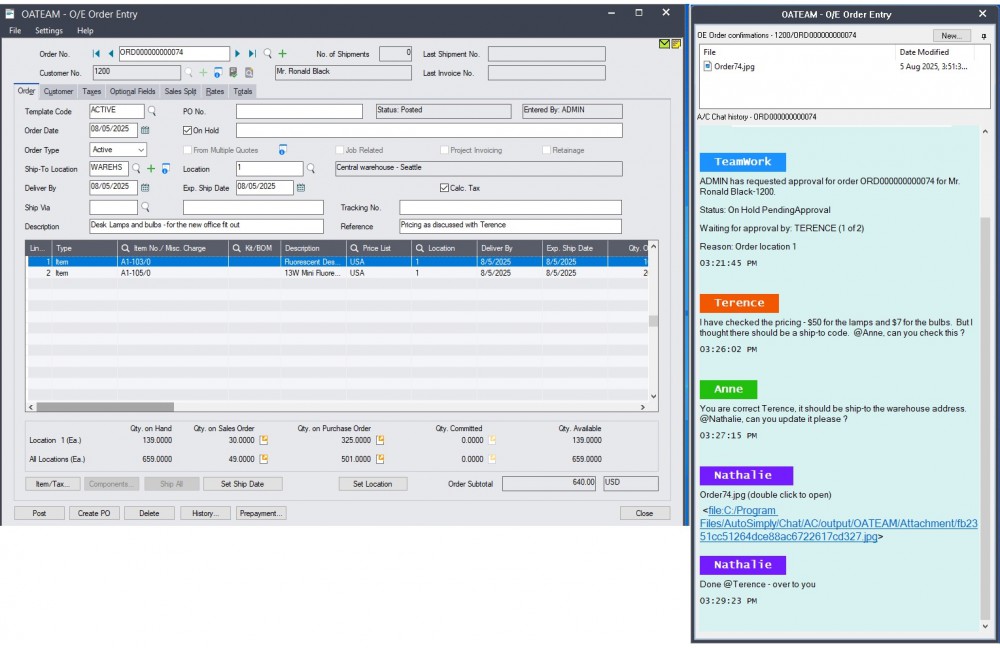
Fig 2
Screenshot of TeamWork Android Version (A/C Chat)
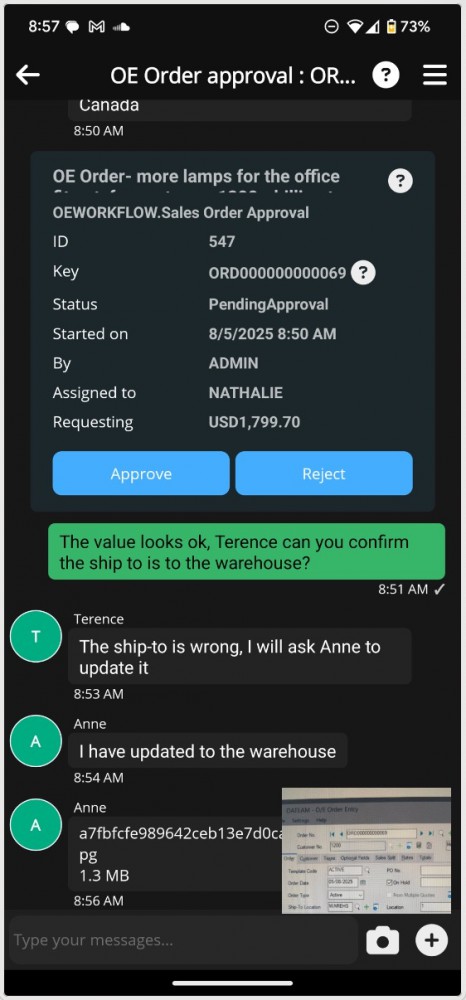
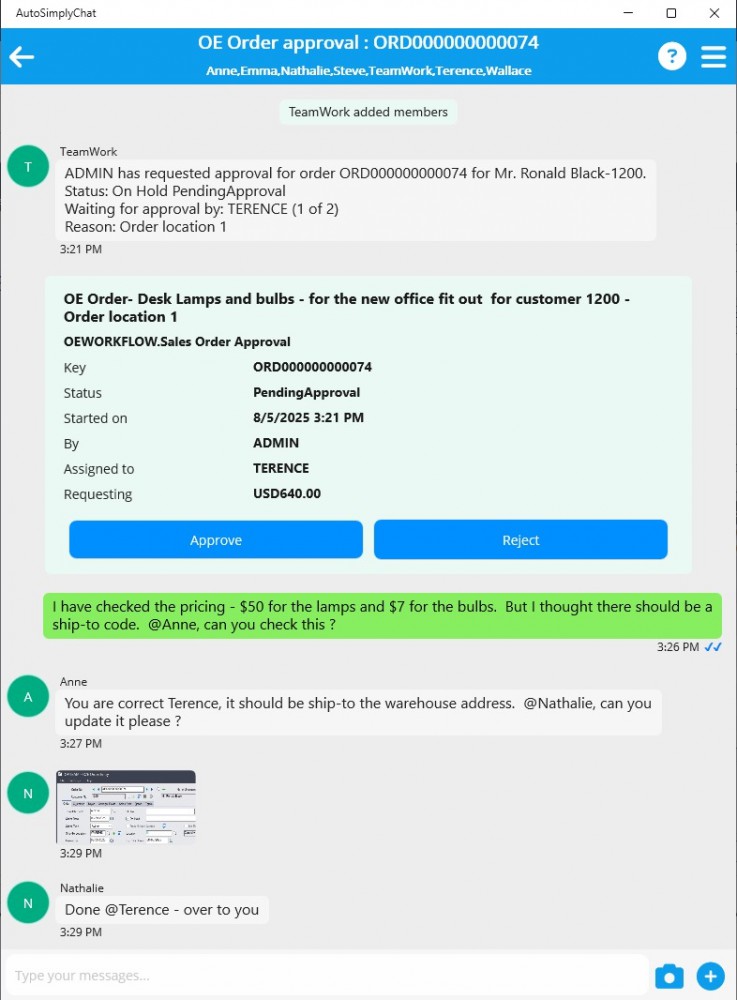
Fig 3
Screenshot of TeamWork Window Version (A/C Chat)
Why use it?
Real-time communication
-
users can discuss Sage 300 transactions instantly, reducing delays in approvals or updates.

Improved collaboration
-
teams across different departments can coordinate efficiently in a single chat platform, reducing the need for back-and-forth emails.
Better tracking and documentation
- conversations can be logged in a structured way, and referenced later, to track decisions related to Sage 300 transactions.

Remote accessibility
- Employees can access updates from anywhere, via mobile or desktop chat apps or in Sage 300 screens.
TeamWork features
TeamWork Components
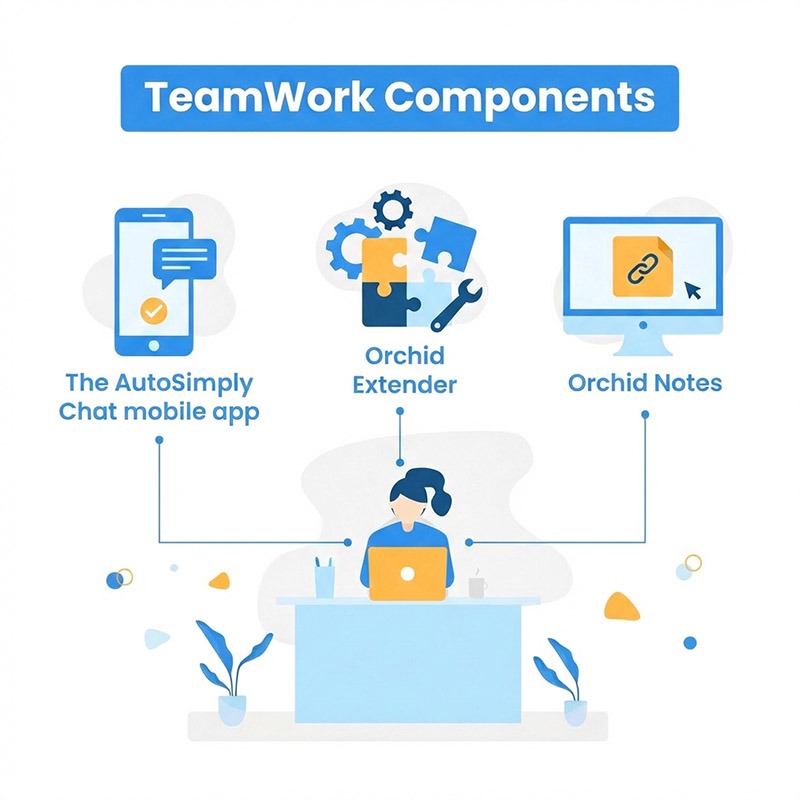
- The AutoSimply Chat mobile app (aka A/C Chat)
- Orchid Extender (Runtime or Developer) for configurable workflows
- Orchid Notes for displaying chats (and hyperlinks for opening documents saved within a chat) on Sage 300 desktop screens
Optionally: combine with Orchid Document Management Link (DML) to link to other relevant documents from Sage 300.
Configurable Workflows
Orchid's Workflow Rules Engine, included with Extender, lets you configure workflows based on your business needs. You can configure:

- What you need to approve (for relevant Sage 300 records)
- How to determine if the approval is required (conditions)
- Who approves (up to 5 approvers, sequential or parallel)
Workflow Examples
Configurable Approval and/or Notification templates are provided for many common Sage 300 workflow scenarios:
- Accounts Payable
- Accounts Receivable
- General Ledger
- Inventory Control
- Order Entry
- Purchase Order

- Return Material Authorizations: RMA Completion Approval
- Manufacturing: Order Entry; BOM Approval
- AC Chat: Time Record, Expense, Leave Approval
Using TeamWork
Transaction headers (Sales Orders, Purchase Orders, I/C Transactions)
Master files (New customer, new vendor, new item, change of fields)
TeamWork Applications
- Once enabled and configured, users create and update records in Sage 300 as usual.
- When the record is saved, the workflow triggers and evaluates if the record needs approval based on the configured rules.
- If no approval is required, the workflow auto-completes, with all relevant details logged. If approval is required, notifications are sent to the users.
Regular Operations

- Users can approve in the Chat App or on the Extender workflow console.
- For many records, TeamWork users can also chat about the record.
- Details are saved in Sage 300 and are visible to users in the Notes tray.
- All approvals, chats and status are saved in Sage 300 workflow logs.
Use Case examples
- Sales Operation team updates Sales Order status, and warehouse personnel update pick status.
- Drivers update shipment status and save proof of delivery images, automatically triggering invoicing.
- Customer, Vendor, and Item feedback is entered by and shared between sales, purchasing, and warehouse personnel.
- Request I/C stock usage or I/C Transfer from a chat without logging into Sage 300.
- Approve a Customer credit limit change.
- Request creation of a new G/L account.
- Request and approve a purchase requisition. xtra info required for web orders).
- Great for fast-paced environments, e.g. supply chain.
Minimum Requirements
Additionally, TeamWork works in conjunction with the Workflow capability provided by Orchid Extender, Orchid (Information Manager) Notes, and the Chat capability provided by AutoSimply A/C Chat.
Orchid Systems Extender
TeamWork can work with Extender Runtime if no other Extender features are being used, otherwise Extender Developer is required.

License
Users who approve records (in A/C Chat or the Extender Workflow Console) need to have a Workflow User licence. Each A/C Chat user needs to have an A/C Chat User license. 
Extender & A/C Chat users
Each TeamWork user can access A/C Chat user and/or Extender Workflow User functionality.

The TeamWork App (AutoSimply Chat)
AutoSimply Chat
AutoSimply Chat (also referred to as AC Chat) is designed specifically for smartphones or tablets. When used as part of TeamWork for Sage 300, it includes:
- Chat functionality
- Workflow functionality (a streamlined alternative to the classic version of the Orchid Extender Workflow Console.)
The AutoSimply Chat app can be installed from your device's App Store (Google Play, Apple Store, Microsoft Store)